
Compare budgets and detect savings with AI
Upload budgets, compare chapters and line items, detect deviations and generate an optimized proposal with human control.
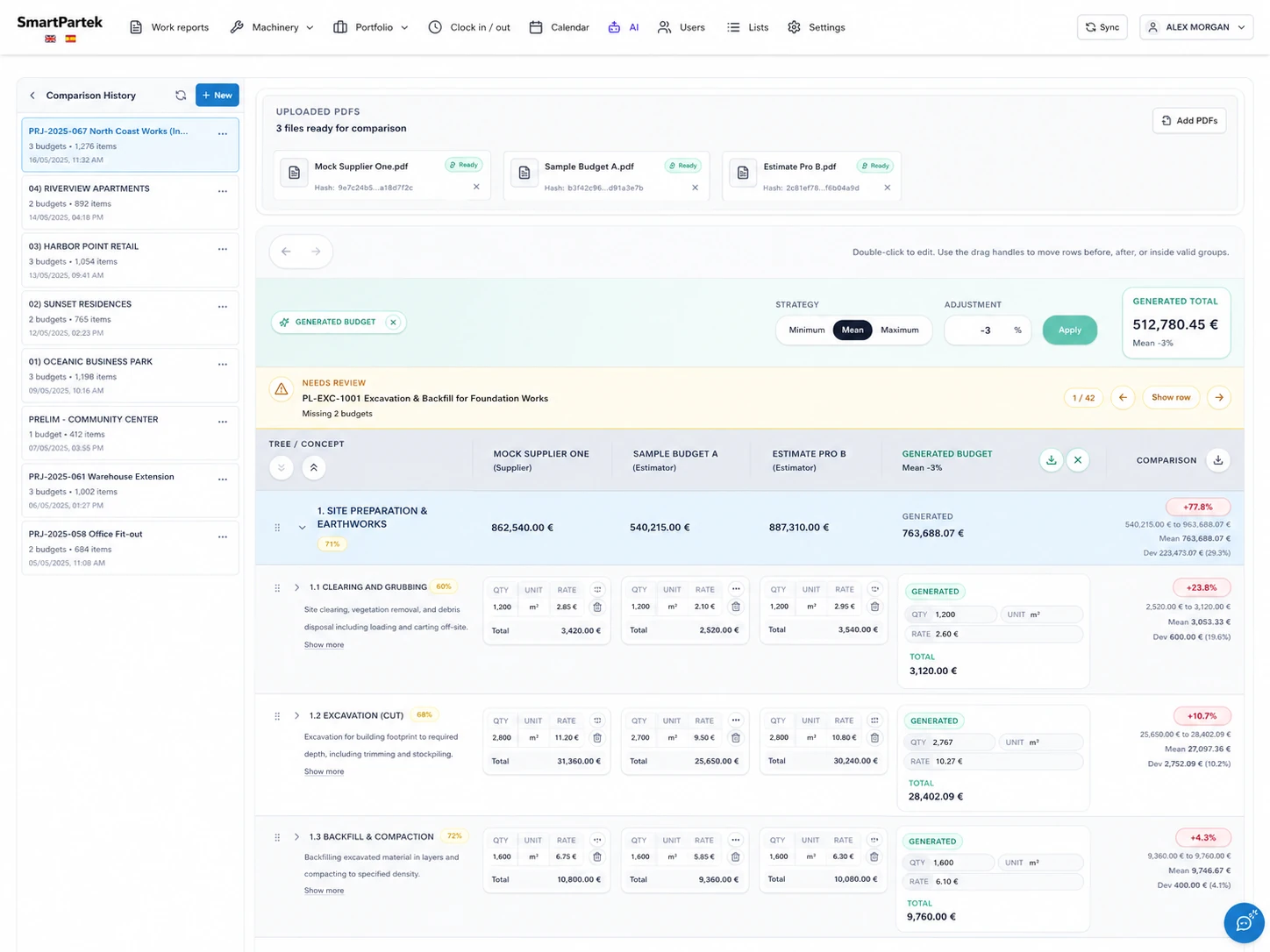
Clear comparison for better decisions
PDF upload
Upload multiple budgets and prepare the comparison in a single session.
Chapter comparison
Align chapters and line items to review quantities, prices and differences.
Generated budget
Create an optimized proposal with strategy, percentage adjustment and human review.
Visible deviations
Spot maximums, minimums, averages and deviations before awarding work.
Guided review
Flag missing data, incomplete chapters or budgets that need manual review.
Final export
Download the generated budget and share the decision with office or client.
Comparison, generated proposal and control in the same view
Office teams can compare several suppliers, apply a generation strategy and review the resulting proposal from the same dashboard.
AI + human review
Every line item keeps its context, with human control
Each line item preserves quantities, units, prices and totals for each supplier, alongside the generated proposal and deviation against the other offers.
Aligned chapters and items
Supplier cards per row
Editable generated proposal
Comparison column with deviations
From PDF to optimized proposal
1. Upload your budgets
Drag or attach PDFs to start an organized comparison.
2. Compare instantly
Review chapters, items, averages and price differences.
3. Generate your proposal
Choose the strategy, add an adjustment and build the optimized budget.
4. Review and export
Validate the result and download it to share.
Smarter decisions. Higher margins.
Try budget comparison and find savings opportunities before awarding work.